Better Ranking on Google: 8 Local Strategies for 2026
Want better ranking on Google? Discover 8 practical local SEO strategies for 2026, from optimizing your Business Profile to earning more reviews.

Small gaps cost independent venues more visibility than big mistakes do. The profile was verified years ago and never reopened. The phone number on a delivery app belongs to a line that stopped ringing two owners back. Reviews arrive in a burst after a staff push, then nothing for six weeks. None of that is fatal on its own. Together, it hands Google a blurred and contradictory picture of a business that is precise and busy.
The work that leads to better ranking on Google is mostly unglamorous. Google's own explanation of how Search works describes systems that weigh many signals, including the words in the query, the usefulness of the page, the expertise behind the source, and the searcher's location and settings, with the weight of each shifting by query type (Google's overview of how ranking works). Google also states plainly that it doesn't sell higher organic rankings.
Sort the eight items below by how much of each one sits in your hands:
- Full control: the profile, the citations, the hours, the photos.
- Most control: when you ask for feedback, how fast you reply, what you publish.
- Shared control: rewards for reviews, where Google sets the rules and enforces them.
Nothing here guarantees a position, because no honest list can. Each item improves the odds and removes a reason for a guest to choose someone else.
1. Claim, Verify and Complete the Google Business Profile
Nothing else on this list survives a listing that's half-finished. Claim the profile, complete Google's verification, then fill every field as though a stranger will read it and decide. Name exactly as it appears on the sign. Unit number in the address. A phone that a person answers during service. Primary category chosen for what pays the bills. Hours that include public holidays, seasonal closures and the weeks between Christmas and New Year.
The fields aren't equally valuable, and owners should know which ones carry weight. In BrightLocal's survey of 47 local-search practitioners, who scored 187 ranking factors, the primary Google Business Profile category ranked first at 227 points, ahead of searcher-to-business proximity at 225 and keywords in the business title at 223 (BrightLocal's local ranking factors study). A physical address in the searched city scored 213, being open at the time of search 189, and a high numerical rating 181.
Read that list as a set of warnings rather than a to-do list. Proximity isn't yours to change. Keywords in the title score high in practitioner surveys, yet Google's business name guidelines prohibit adding keywords to a name, so the compliant move is the official trading name and nothing more. Opening hours are entirely yours.
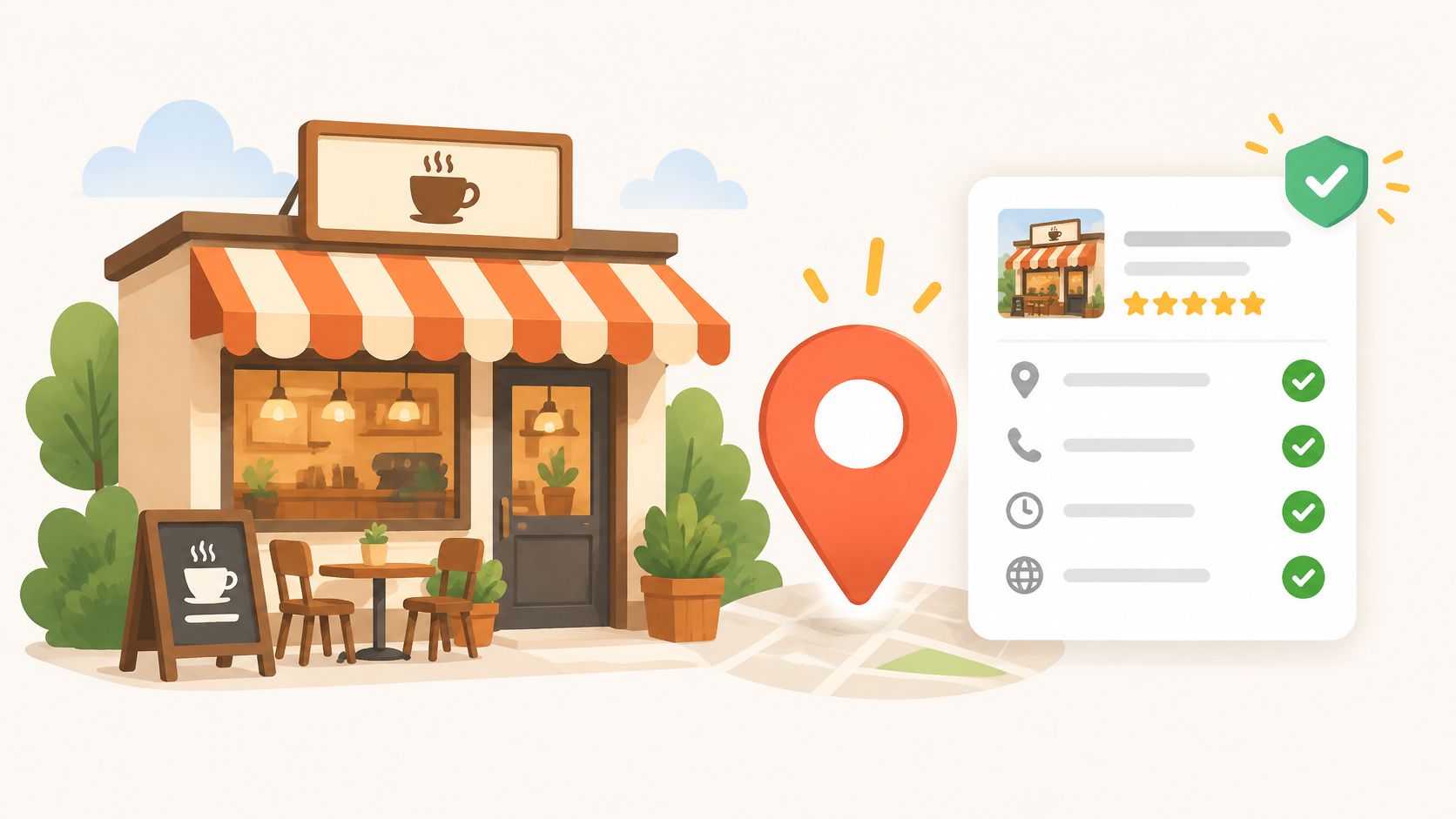
Take a café that adds a seasonal drink and corrects its Saturday hours. It starts appearing for neighbourhood coffee searches it used to miss, because the listing finally matches what people ask for.
What to check each quarter
- Name: matches the signage, the website and the invoices.
- Hours: including holiday exceptions and last orders.
- Categories: one honest primary, then only true secondaries.
- Photos: interior, food, team. No stock images.
2. Keep NAP Information Consistent Across Local Citations
A guest taps the map listing and the call goes to a dead line. That is a NAP problem, and it just cost a booking nobody will ever know about.
NAP stands for name, address and phone number. Every place those three details appear is a citation: the website footer, delivery platforms, review sites, council directories, social profiles, invoice templates. Search engines cross-check those records to confirm a venue is real and located where it claims. One directory showing "St." while another shows "Street", or an old area code lingering on a third-party listing, makes the record look uncertain.
Of everything in this article, citation work is among the cheapest to do and the most fully yours. No algorithm decides whether your phone number is right. You do.
Start with a master sheet. Legal trading name, street address in a single format, one phone number, one URL. Copy it character for character into every profile. Then search the venue name plus the postcode to surface duplicates, and claim or merge anything that is not the listing you control. Diarise the audit every six months, because aggregators keep scraped data alive long after you have corrected the source. When a delivery platform or directory shows the wrong number, correct the listing so the customer who calls reaches you.
Citation rule: one format, copied exactly, everywhere. Consistency is cheaper than damage control.
Consistent references also feed the wider picture of authority. Google's documentation describes PageRank as one of the systems present at launch and still part of a wider set that weighs relevance, usability, language, device and location (Google's guide to ranking systems). In practice, the top organic result draws substantially more clicks than the positions below it, so the gap between first and second place is worth real money. Climbing is a long game of staying useful and keeping the basics correct, maintained in six-month passes rather than fixed once and forgotten.
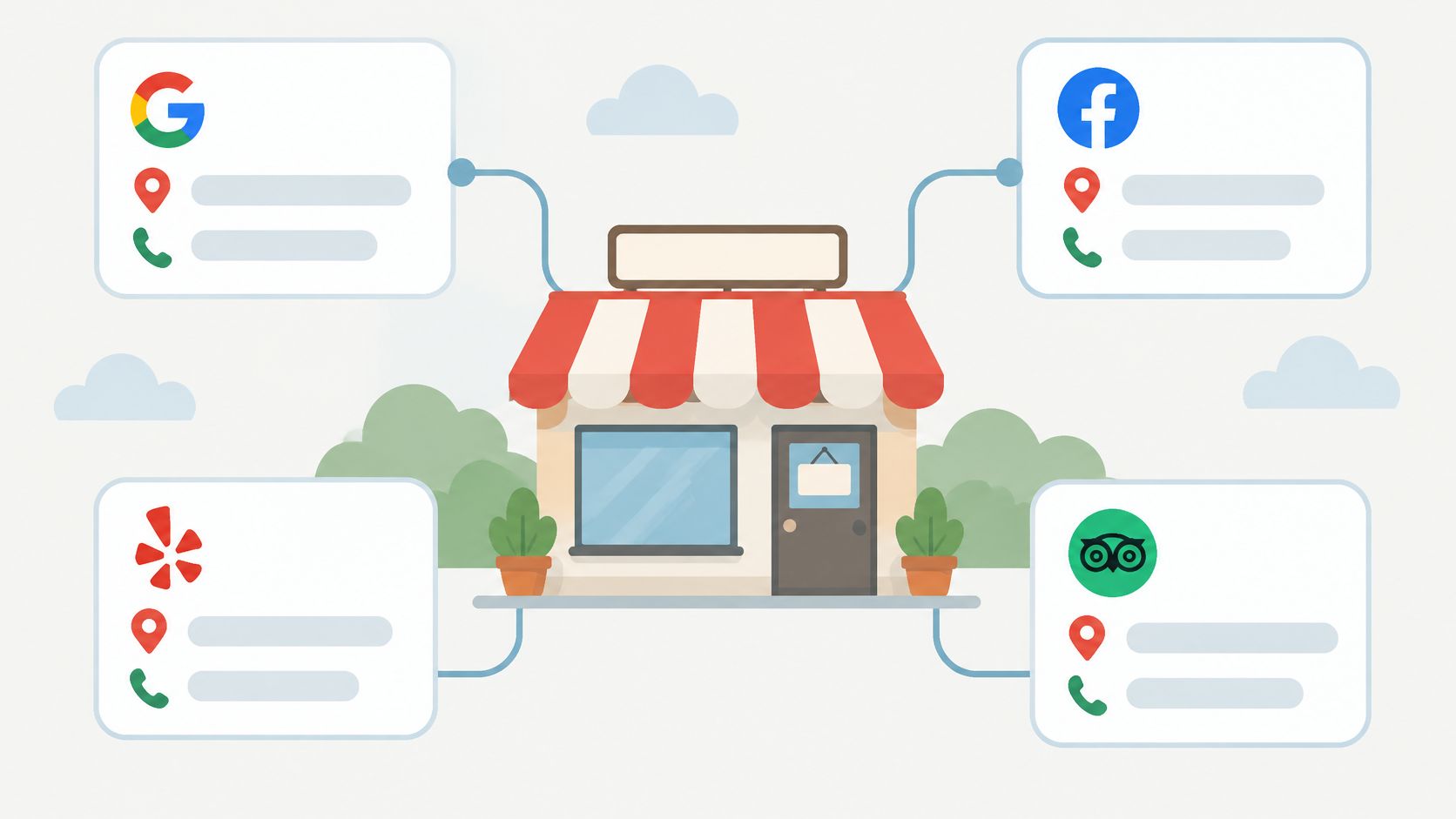
A three-venue group can run the whole exercise from one master sheet, updating each directory once and photographing the confirmation screen as proof. It takes an afternoon, not a quarter.
3. Ask for Reviews Through Visible QR Stickers Without Conditioning Rewards on Ratings
Put the ask where the guest is already sitting. A branded QR sticker on the table or counter card takes a diner straight to the Google review page: they scan, write about their own visit and post. Nothing for staff to chase, no link to send later.
Keep the ask free of incentives. Google's Business Profile help states that businesses can't offer discounts, free goods, services or other benefits in exchange for a review, that incentivised or biased reviews may be removed, and that profiles breaching the fake-engagement policy can temporarily lose the ability to receive new reviews (Google's guidance on reviews and incentives). A coupon triggered after the review posts counts as a benefit in exchange for it, the same as one promised up front.
Incentive-based collection exists as a separate model, and it sits on the other side of that line. Services such as review² verify that a review has arrived rather than counting a click through to Google, yet verification does not settle the policy question. Google decides whether a review complies and stays published, and it can remove a review written in exchange for a gift or restrict a listing. I treat a reward campaign as a calculated risk to weigh before launch, priced against the volume it might add.
Review rule: a visible ask costs nothing and carries no policy risk; a reward buys speed at a price Google sets.
Start with the free version. One sticker per table, a one-line verbal ask after the bill lands, and a month of watching review numbers before deciding whether you need anything more.
Keeping it clean
- Ask every guest the same way. No cherry-picking the happy tables, no steering anyone toward five stars.
- Keep the ask free of incentives. No drink, dessert or discount tied to the review, before it posts or after.
- If you run an incentive campaign anyway, keep the offer identical for every guest and never connect it to the rating or the wording.
- Check the policies again before each new campaign, since platform rules change.
- Know what verification cannot do. Confirming that a review appeared does not make it Google-approved.
4. Respond to Every Google Review Promptly and Professionally
Replies are public property. A future guest reads how the venue handled a complaint about a cold main before deciding to book, which makes responses part of the sales floor rather than an admin chore.
Answer positive reviews with specifics: name the dish they mentioned, say thanks, stop. Answer negative ones in three moves. Acknowledge the experience without arguing, state the fact if one is missing, then take the detail offline with a direct contact. Never offer a discount or a freebie in a public reply to nudge a rating upward.
That habit isn't just poor form, it's a policy problem. Google's Maps user-generated content policy prohibits offering payments, discounts, free goods or services in exchange for posting, revising or removing a review, prohibits selectively soliciting positive reviews or discouraging negative ones, and classifies incentivised or biased reviews as rating manipulation that may be removed (Google's Maps user-generated content policy). A reply that says "update this and we'll sort you out" reads as exactly that.

Reply rule: answer the complaint, not the star rating.
A structure that works
Set a 48-hour target and hold it. Use a template skeleton so nothing is forgotten, then personalise the first line every time. Keep customer names, order numbers and contact details out of the public text. Sign off with a role rather than an individual, so the reply still makes sense when that person leaves.
A bakery replying to a complaint about a delayed order can apologise for the wait, explain the Saturday queue, and invite the guest to email the manager. The reply does more for the next reader than for the complainant.
5. Use Weekly Review Summaries to Monitor Activity and Ratings
Opening three Google listings every morning doesn't survive a busy week. It gets skipped on the days that matter, which are usually the days something has gone wrong.
A weekly summary consolidates the picture: new reviews, star ratings, and movement against the previous week. review² sends this as a weekly email report, so a manager reads one message instead of refreshing Google between services. That cadence matters because recency carries weight with guests. A review-industry analysis citing the 2025 local consumer survey reported that 20% of U.S. respondents considered reviews as recent as two weeks old when deciding where to go, and local-ranking research gives real importance to review recency, native review volume and a steady influx over time (analysis of review recency and consistency).
That argues for a continuous ask after genuine interactions, built into the till routine, rather than a promotional burst every quarter that produces a spike and then silence.
The numbers worth watching
- Velocity: new reviews per week against the previous four weeks.
- Recency: how old the newest review is right now.
- Distribution: whether one-star reviews are clustering around a shift or a dish.
- Response coverage: the share of reviews with a reply.
Give the report a fixed slot, Monday before opening works for most sites, and read four weeks before drawing a conclusion. One strong week means nothing. Four flat weeks mean the prompt stopped working, and that's a conversation with staff rather than a marketing problem.
A single five-star week is noise. Four weeks of declining velocity is a signal.
6. Build a Consent-Based Guest Contact List for Repeat Visits
A social following is rented. A list of guests who agreed to hear from you is owned, and it's the only channel where a quiet Tuesday can be filled with one message.
review² keeps an optional guest database that stores names and email addresses only from guests who opt in. That consent step is the whole point, and the rules around it are stricter than most venues assume. The UK Information Commissioner's Office says electronic marketing generally requires consent unless a specific soft-opt-in exception applies, that valid consent must be freely given, specific and informed, and that pre-ticked boxes don't qualify. It also states that every marketing email or text must identify the sender and explain how to opt out (ICO guidance on planning direct marketing).
What consent looks like in practice
- A separate, unticked box. Never bundled into a review request or a booking.
- Plain wording about what arrives. "Monthly menu news" is specific. "Updates" is not.
- One-click unsubscribe, honoured the same day.
- Storage you can audit, with a record of when and how each person opted in.
A bakery announcing a seasonal menu to opted-in guests is doing something a review request can't do: bringing people back on a chosen date. Be honest about the limits, though. Contact collection doesn't lift rankings and shouldn't be sold internally as an SEO tactic. It fills seats, and filling seats is what keeps a venue worth finding.
7. Publish Accurate, Photo-Rich Profile Content and Updates
Guests decide with their eyes before they read a word. Recent photos of the room, the plate and the counter do more conversion work than any caption, while stale menus and a five-year-old exterior shot send people elsewhere.
Set a rhythm. One batch of phone photos a month, taken in daylight before service, uploaded as they are rather than polished into something the venue no longer looks like. Update the menu the day prices change, not at quarter end. Use posts for limited runs, new opening hours and seasonal specials, and keep captions in plain language that describes what's in the frame.
Accuracy isn't optional here, because Google polices it. Its policy framework applies to all content formats on a Business Profile, including reviews, photos, videos and posts, and content that breaks the prohibited or restricted rules may be rejected from publication; Google also says it may limit or suspend user-generated content for a profile whose contributions are consistently unhelpful or noncompliant (Google's Business Profile content policy).

A café posting a photo of a new seasonal drink each month builds a visible record of a place that's alive, and that record is what a first-time visitor is judging.
Fresh reviews count as profile content too. They sit alongside the photos and posts and tell the visitor the venue is busy now, not last year. An owner who wants that stream to move while they run the floor can hand the collection mechanics to a tool like review², which verifies that a Google review has arrived before any reward is ready.
A monthly content rhythm
- Week one: new interior and dish photos.
- Week two: menu or price corrections.
- Week three: one post about a limited item or an event.
- Week four: check that hours, categories and links still match reality.
Skip stock images and keyword-stuffed captions. They don't read as expertise, and they don't survive a second look.
8. Manage Each Location Separately for Multi-Venue Operators
Three cafés under one login is how feedback gets attributed to the wrong site and nobody notices for a month. Each venue needs its own Google Business Profile, its own QR sticker, its own reward setup and its own weekly summary, so a comment about the branch on the high street lands with the manager who can act on it.
Google's guidance on separate listings for separate locations exists for the same reason. A combined listing confuses guests and leaves each site competing against its siblings for the same searches.
Assign ownership explicitly: one named manager per listing and one backup for holidays. Share the master sheet from item two, so a new site launches with the correct name, address and phone format already in place. Compare the weekly reports side by side, because a venue whose review velocity is sliding is usually the one with a staffing problem nobody has raised yet.
There's an enforcement dimension too. Google can temporarily prevent a profile from receiving new reviews or ratings, temporarily unpublish existing ones, and display a warning to consumers that fake reviews were removed (Google's policy on fake engagement restrictions). Those consequences attach to the specific profile, which is exactly why a sloppy process at one site shouldn't be allowed to run unexamined. review² charges subscriptions per location, and sticker orders are billed separately, so confirm current terms before rolling out across a group.
Ownership rule: every listing has one named manager and one named backup.
A shared checklist beats a shared login
- One profile per venue, verified by someone on site.
- One sticker design per venue, so scans can be traced back.
- One weekly report review, with the same agenda across sites.
- One master sheet, updated centrally and never locally.
How the eight local visibility strategies compare on cost, effort and fit
| Item | Main Cost | Time Commitment | Best For | Main Limitation |
|---|---|---|---|---|
| Claim, Verify and Complete the Google Business Profile | Free | Setup and periodic updates | Establishing accurate local Search and Maps listings | Verification takes time; completeness does not guarantee rankings |
| Keep NAP Information Consistent Across Local Citations | Low cost | Initial cleanup and six-month audits | Reducing conflicting business details across platforms | Many listings require manual updates |
| Ask for Reviews Through Visible QR Stickers Without Conditioning Rewards on Ratings | Subscription, rewards and sticker orders | Setup, staff training and ongoing redemption | Making it easy for guests to submit feedback | Incentives risk violating Google policies and reviews may be removed |
| Respond to Every Google Review Promptly and Professionally | Free | Ongoing; ideally within 48 hours | Showing guests that feedback is valued | Takes time, and replies cannot remove negative reviews |
| Use Weekly Review Summaries to Monitor Activity and Ratings | Service cost may apply | Brief weekly review | Tracking review activity across listings | Summaries do not replace reading and responding to reviews |
| Build a Consent-Based Guest Contact List for Repeat Visits | Service or email marketing costs may apply | Ongoing list management and communications | Encouraging repeat visits through opted-in contacts | Requires privacy-law compliance and does not directly improve Google visibility |
| Publish Accurate, Photo-Rich Profile Content and Updates | Free | Regular updates, including monthly photos | Helping guests assess the venue before visiting | Requires upkeep; Google may remove policy-violating content |
| Manage Each Location Separately for Multi-Venue Operators | Subscription and sticker costs may apply per location | Ongoing administration for each venue | Keeping multi-location listings and feedback distinct | Administrative effort grows with each location |
Turning the List Into a Weekly Routine
Start with the free basics, because they cost nothing but attention. Verify and complete the Google Business Profile, align the name, address and phone across every citation, and put a fixed 30-minute slot in the week for reading reviews and replying. Those three habits close the gaps that cost independent venues visibility, and they sit fully within an owner's control.
Only then add tools. Read Google's current review and prohibited-content policies before launching anything involving a reward, and decide whether the incentive fits the venue. Accept the trade-off in advance: Google may remove incentivised reviews or restrict a listing, and no verification process changes that. Rewards are collected on a platform you don't own, under rules you don't write.
Then measure. Four weeks is the shortest window worth judging, and even then results vary by venue, category and location. A single slow week tells you nothing.
Local visibility is also no longer a single surface. Google's own guidance lists relevance, distance and prominence as the core factors behind local results (Google's explanation of local ranking). Proximity still governs whether a venue appears in map results, while generated answers draw on the quality and consistency of the information a business publishes. Neither surface hands anyone a guaranteed position, so treat both as reasons to keep the basics accurate.
If you want to see how a QR-led feedback process and weekly summaries work in practice, review² sets out its setup, features and terms on its site. The service reports more than 30,000 collected reviews at an average of 4.8 stars, and its published case studies show the spread: a Budapest pancake house gained 495 new reviews in the 30 days after launch, against 88 in the 30 days before. Plans run $29 monthly, $114 every six months or $174 annually before VAT, with a 14-day trial at $1. Stickers and rewards are separate costs, and plans are billed per location.
The process itself is simple to run. Guests scan a branded sticker, leave a Google review and claim their gift, and the service checks that the review has appeared before the coupon becomes redeemable. A click through to Google alone is not enough. Staff redeem the single-use coupon from the animation on the guest's phone, and weekly email reports show new reviews, star ratings and progress without daily checking. Google's rules on incentivised reviews still apply exactly as described above. Visit review² to see whether the setup fits your venue.