Reviews for SEO: How They Affect Local Rankings
A plain guide to reviews for SEO: how Google reviews affect local visibility, what they cannot guarantee, and how to measure results.
A café collects 400 Google reviews. A bakery two streets away has 60. Which one appears first when someone nearby searches for breakfast?
Nobody can answer that from the review counts alone. Reviews are one input in a local ranking system that also weighs what a business sells and how far it sits from the person searching. That doesn't make reviews unimportant. It makes them worth understanding precisely, especially when so much "reviews for SEO" advice treats them as a lever you pull.
Three things get blended together in that advice, and this guide keeps them apart. What Google documents about reviews and local ranking. What customers do when they read reviews. What a business can measure in its own venue over 30 days. Where the evidence stops, this says so rather than filling the gap with a promise.
How Reviews Affect Local SEO Rankings
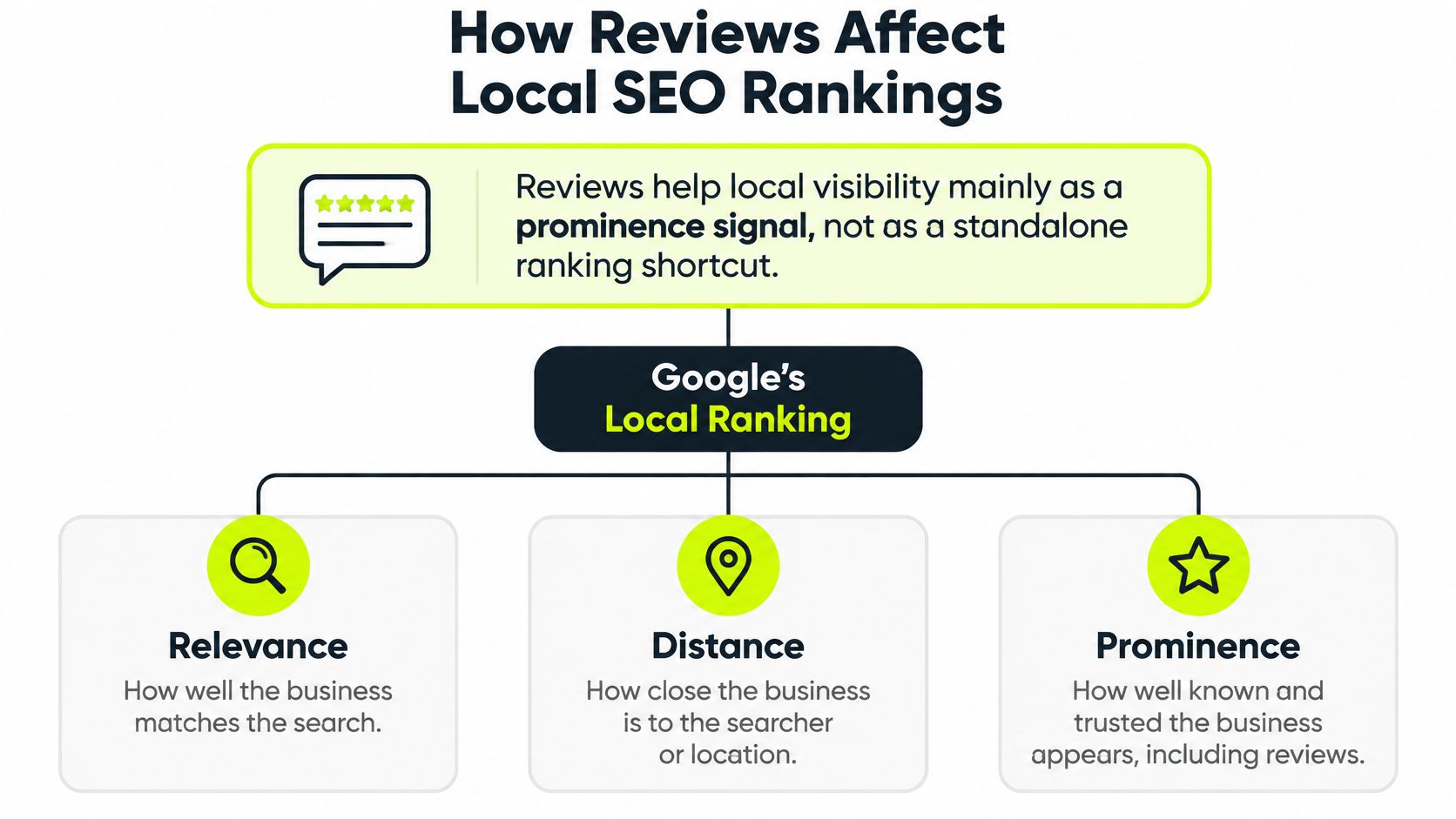
Reviews help local visibility mainly as a prominence signal, not as a standalone ranking shortcut. Google's documentation on how local ranking works sets out three components, and reviews feed only one of them.
| Component | What it reflects | Do reviews change it |
|---|---|---|
| Relevance | How well the profile matches what was searched | No |
| Distance | How far the business sits from the searcher | No |
| Prominence | How well known and trusted the business looks | Yes |
Google names both review count and review score as prominence inputs, and states that more reviews plus positive ratings can improve a business's position in local results. The diagram below shows where that sits in the wider structure.
Think of it as a recipe. If the flour is missing, more eggs get you a wet mess, not a cake. Relevance is the flour: the primary category, the service names, the words on the profile. A venue categorised as a caterer when it serves breakfast to walk-ins won't be rescued by review volume. Distance works the same way, and so do wrong opening hours or a moved address.
Prominence is broader than reviews too. Google also weighs links, articles, directories and offline recognition, so a review programme sits alongside accurate business information, relevant categories, on-site SEO and legitimate citations.
The first move isn't a campaign. Confirm the primary category matches what customers search for, check the address and hours, then judge any review effect against that baseline.
Why Reviews Shape Customer Choices Beyond Rankings
Ranking decides who gets seen. Reviews decide who gets chosen, and the two are separate problems.
BrightLocal's 2025 Local Consumer Review Survey, based on a representative panel of 1,026 US adults, found that 67% of consumers often or always look at business reviews after conducting a local search, while 15% use Google Maps as their first destination for local searches (BrightLocal research). The path is familiar: search, see the list, open the reviews, decide.
A review is a shop window. The photo earns the glance; the detail earns the visit.
What makes a reader stop is specific. A sentence about a particular order, a particular table, a particular problem that got fixed. Recent dates, because a two-year-old review says little about the kitchen this month. Visible owner replies to complaints, because how a business handles a bad night tells a stranger more than a perfect average does.
Twenty reviews that all praise the "friendly staff and great atmosphere" in near-identical wording read as manufactured, even when every one of them is genuine. That's why scripting what guests write backfires. If a bakery hands out a prompt card, it should ask for honest feedback, not for a phrase.
A steady flow of detailed, real reviews builds more confidence than a high star average alone. What the survey shows is how people search and read. It doesn't show that reviews move any ranking.
Review Signals That Shape Local Visibility
Five signals are worth recording, and each answers a different question. Keep them in one view instead of checking Google when you remember to.
| Signal | What to track | Watch-out |
|---|---|---|
| Review count | Total reviews and new reviews each month | Compare against normal customer volume |
| Average rating | Current star average and its trend | A shift needs context; read it with the review text |
| Recency | Share of reviews from the last 30, 60 and 90 days | Recency is not a guaranteed ranking weight |
| Review velocity | New reviews per week against usual visitor numbers | Sudden spikes can create policy risk |
| Owner responses | Share of reviews answered, and response time | Shows activity, not a ranking guarantee |
Count and average are the two inputs Google names, and the number alone says little. A café serving 200 covers a week that collects 12 reviews is generating steady engagement. The same 12 on a venue doing 900 covers a week suggests most guests never get asked.
Recency behaves differently from volume. A peer-reviewed study on review recency found that consumers may place greater weight on a recently posted rating when making an immediate local choice, such as picking a nearby restaurant, than when planning further ahead. That supports a steady post-visit flow over occasional bursts. It's a consumer behaviour finding, not a statement about algorithmic weighting.
Velocity is where good intentions go wrong. An abrupt spike against normal customer numbers creates operational strain and policy exposure without proving any SEO gain. Owner responses show the profile is alive and show readers how complaints get handled. Useful, and not a ranking guarantee.
Practical rule: count, average, newest review date and velocity belong in the same view. Read any one alone and you'll misread the other four.
Keep the rest of the profile equally tidy, because reviews only support what's already there. This guide to local business listings covers the categories, hours and details that carry their own weight.
How to Measure Whether Reviews Help
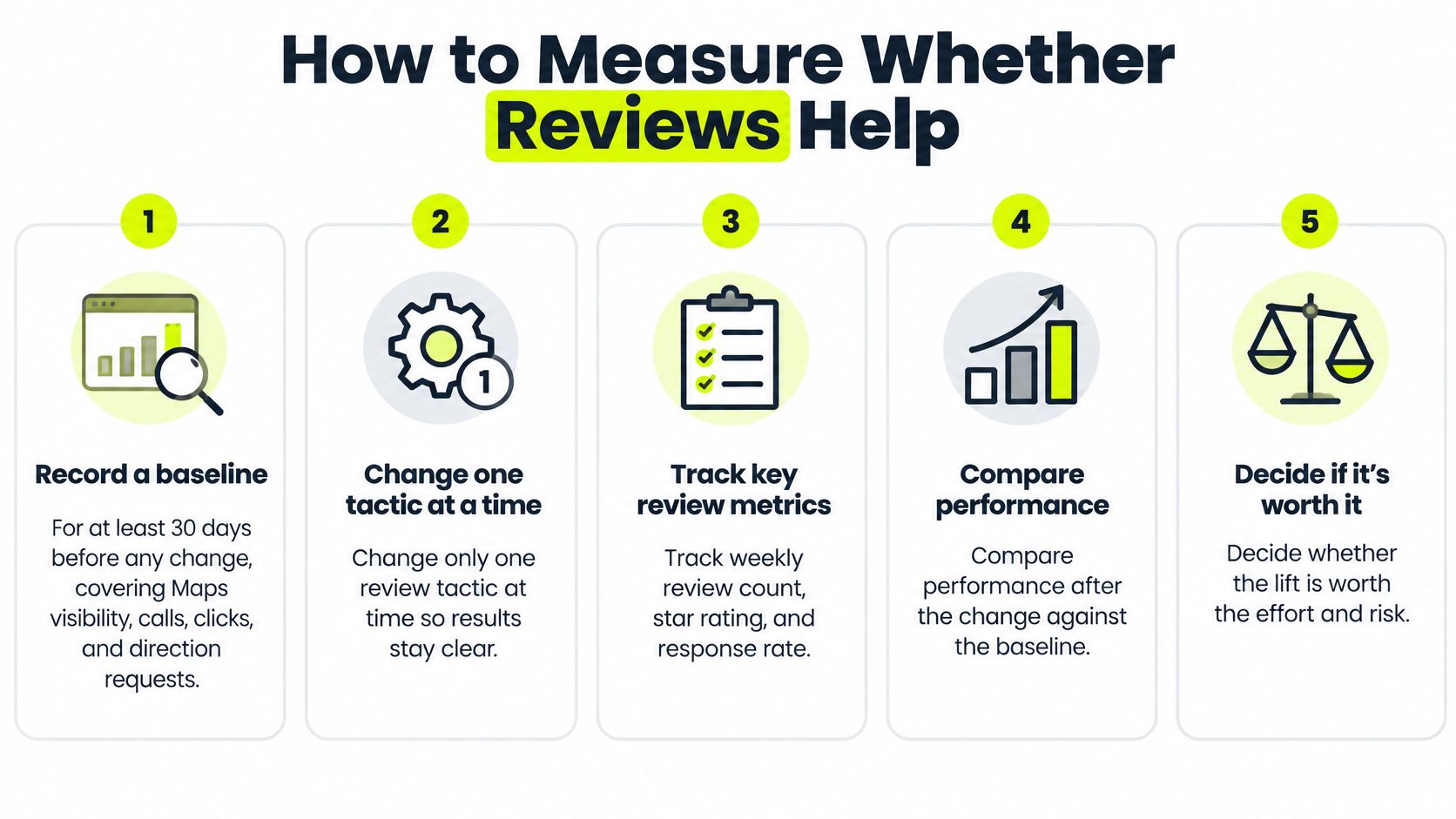
Measurement turns an opinion into evidence. Five steps, and the first starts before anything changes.
- Record a baseline for at least 30 days. Map Pack impressions, discovery searches, calls, direction requests, and visibility for non-branded local queries. Write down where you started, not where you hope to land.
- Log everything else that moves results. Seasonality, opening-hour changes, profile edits, a competitor opening or closing nearby. Without this, every later change looks like a review effect.
- Fix the comparison window. Use a defined before-and-after period, or a matched location that didn't change. Changing two things at once produces a number you can't interpret.
- Pull the same signals over that window. Count, average, recency, velocity and response rate, read against the baseline rather than in isolation.
- Read outcomes together. Reviews rising while calls and direction requests stay flat is a signal to look elsewhere: the profile, the offer, the photos, the pricing.
Google treats review quantity as one prominence input among several, alongside links and other web information, and states that more reviews plus positive ratings can improve local position (Google's description of local ranking). One input, not a formula.
The steps above are the method. The reporting is the convenience.
Weekly email reports show new reviews, star ratings and progress, so the business doesn't need to keep checking Google. That saves time. It doesn't replace a baseline, and it doesn't explain why a number moved.
What you end up with is evidence of change over a defined period. It isn't proof that reviews caused it.
Incentivized Reviews and Google's Policy Risk
The question worth asking isn't whether a reward produces more reviews. It's whether the extra reviews are worth more than the risk they create.
Google's Maps contribution policy is explicit. Merchants may not offer money, discounts, free goods or services in exchange for posting, revising or removing a review. They may not selectively solicit positive reviews or discourage negative ones. Incentivized or biased reviews are treated as rating manipulation and may be removed.
Removal isn't the worst outcome. Google's fake engagement policy sets out account-level responses: temporarily preventing a profile from receiving new reviews, temporarily unpublishing existing ones, and showing consumers a warning that fake reviews were removed. A business can lose the reviews it paid for and take a visible hit in the same week.
Before running any offer, put the numbers side by side.
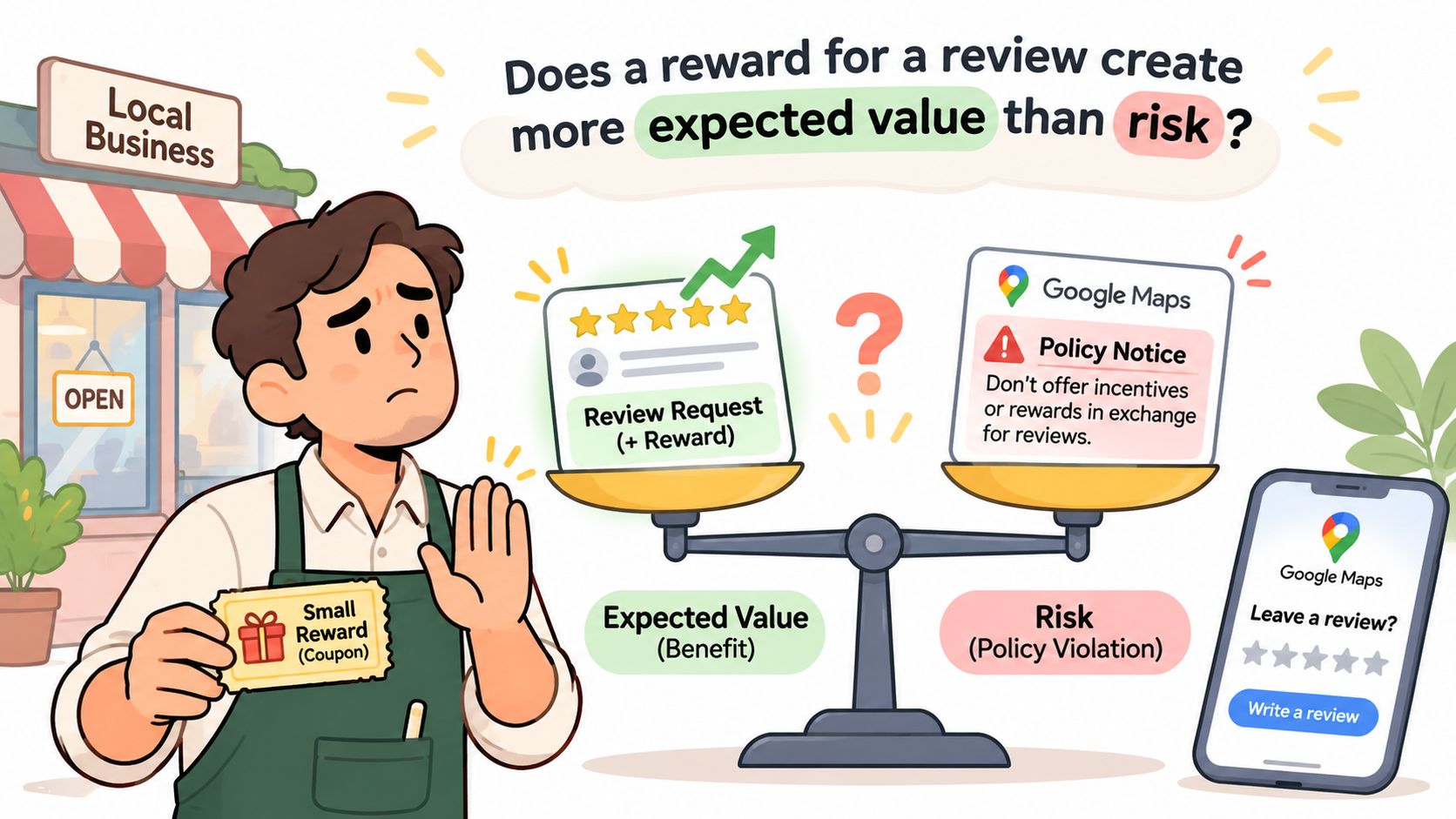
- Expected extra reviews. The realistic gain across a month, not the best case from a launch week.
- Chance of removal. Higher when the offer is conditional, advertised, or repeated at scale.
- Cost of a restriction. Lost visibility for however long reviews are paused or unpublished.
- Reputation cost. A consumer-facing warning sits on the profile and outlasts the campaign.
- Replacement cost. The work of rebuilding reviews that were removed, this time without a shortcut.
If that arithmetic isn't clearly positive, the answer is no.
Verification doesn't change the calculation. Confirming that a review exists says nothing about whether the incentive behind it was permitted, because the rule concerns the incentive itself, not whether the review is genuine. review² states that it can't guarantee reviews, ratings or rankings, and that Google determines whether a review complies with its policies and remains published. Google may remove reviews written in exchange for a gift or restrict a listing, and that decision belongs to Google.
Manufactured-looking feedback fails on its own terms as well. A 2025 study of 151 consumers evaluating 906 reviews found 53.2% accuracy when distinguishing genuine reviews from AI-generated fakes, barely above chance (HICSS 2025 study). A varied profile with plain detail and visible replies to criticism carries more weight with readers than a polished wall of five stars.
The safer options are unglamorous. Ask every guest neutrally, attach no condition to a rating, answer complaints quickly, and fix the service problem behind them. Working out what a five-star profile is really worth is a separate question from how to earn more of them, and this piece on what a 5-star review signals takes it apart.
Reward rule: a reward offered alongside a review must not depend on posting, revising or removing a Google review, and must not depend on a positive rating. Check the exact terms against Google's current Maps policy before running anything.
How review² Guest Feedback Works
review² runs a defined loop with a check in the middle, which a plain QR code to Google doesn't have. Here's the sequence a guest meets.
- The guest scans the sticker. On the table or at the counter, they use their phone camera to land on a short feedback page.
- The guest writes the feedback. Their own words, no script, no required rating. Nothing steers what they say.
- The review gets verified. The service checks that a Google review has appeared. A click through to Google isn't treated as completion, which is the difference between a verified review and a hopeful tap.
- A single-use coupon becomes available. The guest shows it on their phone, and staff redeem it at the counter. Each code works once, and static screenshots aren't accepted as proof of a live coupon.
- Contact capture stays optional and separate. A guest can leave a name and email if they choose to, and that choice is deliberately kept apart from the review and the reward.
- A weekly summary arrives. New reviews, star ratings and progress in one email, so nobody has to refresh Google between services.
The reward is available regardless of the star rating, and guests are free to share any opinion they hold. That design detail matters: a programme that only pays out for praise is a different, riskier product.
The check itself is a record check, not a compliance check. It confirms a review appeared; it doesn't make the arrangement behind it permissible, and Google still decides what stays published.
Everything described above ships with the subscription: review verification, one-use reward coupons, sticker designs, a guest database and weekly reports.
Before you lean on any step: confirm current feature availability and reward terms on the website, because product details change and policy guidance changes faster.
Budapest Case Results and How to Read Them
review² publishes individual before-and-after comparisons from its own customers. Three Budapest businesses ran 30-day windows, and the results are worth reading closely rather than skimming.
| Business | New reviews, 30 days before | New reviews, 30 days after | Average rating, before to after |
|---|---|---|---|
| Bakery | 3 | 37 | 4.37 to 4.67 |
| Restaurant | 8 | 42 | 4.37 to 4.38 |
| Pancake house | 88 | 495 | 3.59 to 4.19 |
The bakery moved from 3 new Google reviews in the 30 days before launch to 37 after, which the company describes as 12.3 times as many, with its average rating rising from 4.37 to 4.67 stars.
The restaurant went from 8 to 42 new reviews in the same window, and its average rating moved from 4.37 to 4.38. Volume rose sharply while sentiment barely budged, which is a useful reminder that the two numbers measure different things.
The pancake house went from 88 to 495 new reviews, with its average rating rising from 3.59 to 4.19. A higher starting volume and a large increase is consistent with several explanations, including a venue that previously asked almost nobody and then started asking everyone.
Each row compares one location with its own past. The description doesn't establish cause, and no control group is described. The company also summarises its review volume as 3 to 20 times a plain Google QR sticker baseline, which is best read as the spread across customers rather than a forecast for any single business. Results vary, and a case is not a prediction.
How to read a before-and-after: ask what else changed in those 30 days. A festival weekend, a new menu, a price rise or a competitor closing will all move the numbers.
What would make a case stronger is unglamorous: a fixed pre-period, a matched comparison location, the same seasonal window, and a clear statement of how any incentive was handled under the current policy.
In your own business, measure what a case can't show you. Reviews per week against normal customer volume, share from the last 90 days, response rate, and calls, direction requests and bookings over the same window.
Collecting Guest Contacts With Consent
Name and email capture on the feedback page is optional, and it has to stay separate from the review itself. The two are different transactions with different rules.
The UK Information Commissioner's Office says electronic marketing to individual subscribers normally requires consent unless a specific soft opt-in exception applies. Valid consent must be freely given, specific and informed, and based on a clear affirmative action (ICO guidance on planning direct marketing). Pre-ticked boxes, silence or inactivity don't establish consent.
The practical sequence looks like this.
- Keep the marketing choice apart from the review and from any reward, so a guest can post feedback without joining a list.
- Use an unticked box that says what the emails are for and who sends them.
- Explain how to withdraw, before the guest submits anything.
- Identify the sender and include an opt-out in every marketing email or text.
- Act on a withdrawal immediately, or as soon as possible.
On the last two points, the same regulator's guidance for small organisations sets out that every marketing message must identify the sender and offer a way out, and that consent withdrawal should be respected without delay.
Weekly review reports are operational summaries written for the business. They are not permission to email guests, and they don't cover promotional messages of any kind. The guest database is an optional part of the subscription, so a venue that only wants reviews, rewards and a weekly summary can leave it switched off.
One more caveat: consent rules differ by country. Check the law where you operate before collecting a single address.
Choose Your Next Step for Review Growth
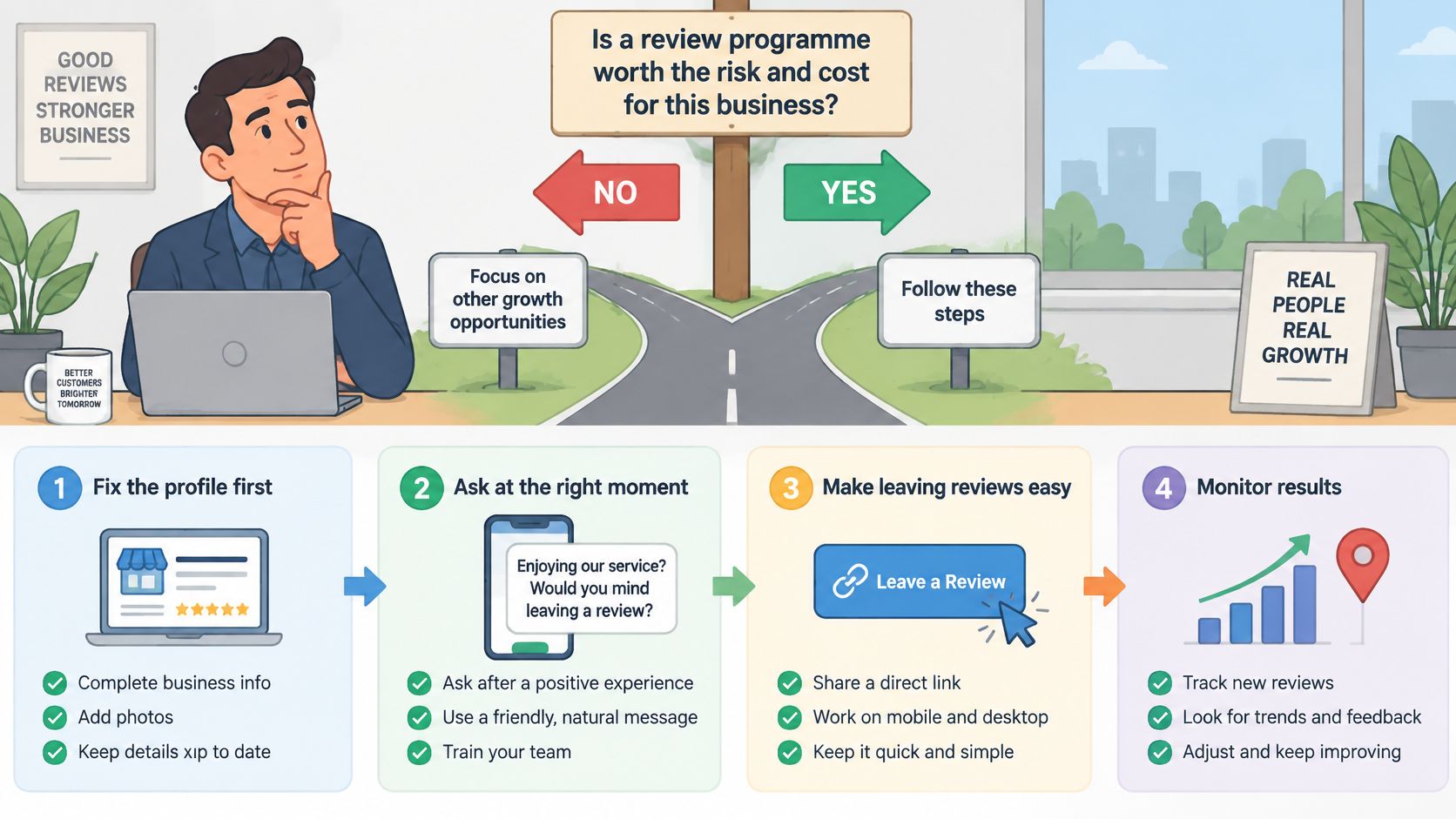
The decision isn't whether reviews matter. It's whether a programme earns enough to justify its cost and its policy exposure for this business, at this location, this year. Work through it in order.
- Fix the profile first. Primary category, address, hours, photos. Nothing downstream compensates for a wrong category.
- Set a 30-day baseline before changing a single thing, so the comparison has somewhere to land.
- Ask every guest neutrally. No rating condition, no publication condition, no script.
- Read Google's current policy before offering any reward of any kind. In this area, yesterday's guidance is not a defence.
- Set the consent rules before collecting the first email address.
For anyone testing the loop, review² lists a monthly plan that starts with a 14-day trial for $1, then $29 per month, excluding VAT. A six-monthly option at $114 and an annual option at $174 are also listed, also excluding VAT, so check which billing period suits before committing. Stickers and rewards are separate costs. Sticker prices include printing and worldwide delivery, and there's no setup fee. Questions about subscriptions, payments or invoices go to support@reviewreview.io.
If you're still weighing platforms, this comparison of review sites for local businesses lays out how the main options differ.
The sample QR pages demonstrate what a guest might see. They don't publish a review, verify one, or issue a redeemable reward, so treat them as a walkthrough rather than a live test.
review² gives restaurants, cafés and bakeries a way to ask every guest for honest feedback, verify that a Google review appeared, and hand over a single-use reward the business chooses. Combined with a 30-day baseline and a weekly summary, it turns review growth into something you can watch rather than guess at. Visit review² to see the guest flow, current plan details and sticker options before deciding whether it fits your venue.